
Disclosure: Some links in this article are affiliate links. If you buy through them, we may earn a commission at no extra cost to you. It never affects our recommendations. Learn more.
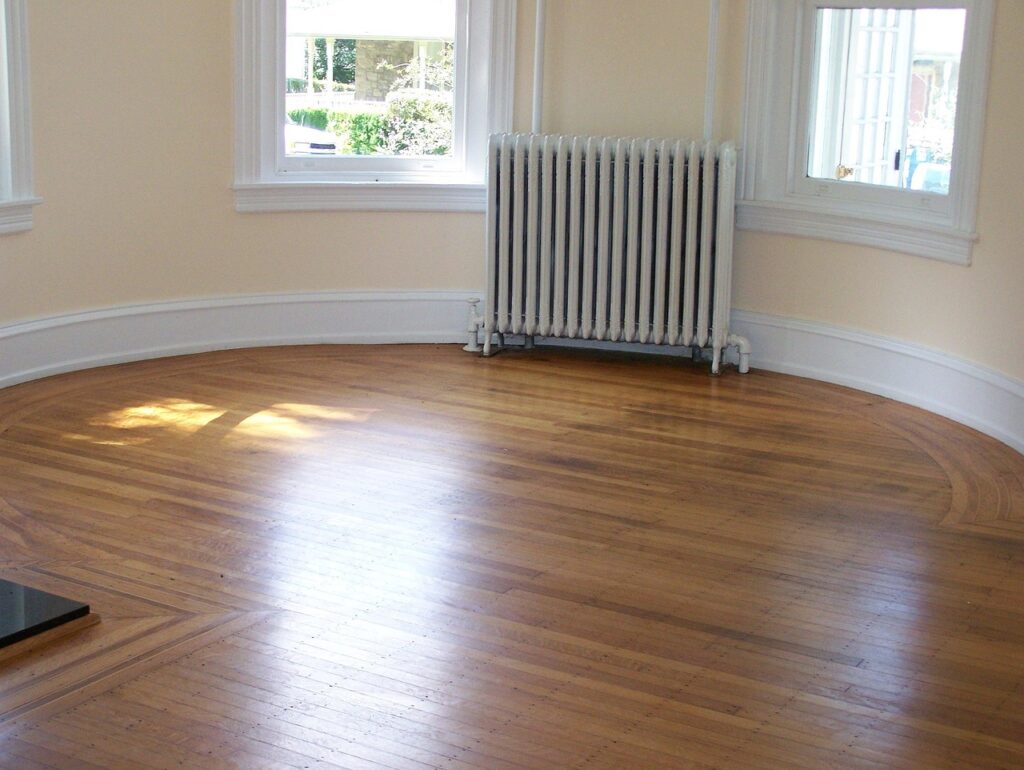
Empty rooms photograph badly. Buyers scrolling a portal cannot judge scale, and a vacant living room looks smaller than it is.
AI virtual staging furnishes those rooms in minutes for a few dollars a photo, instead of days and a staging invoice. This guide covers how it works, what the tools cost, a step-by-step workflow, and the US disclosure and MLS rules that now carry fines.
Last checked: November 2026. Prices checked: November 2026.
At a glance: AI virtual staging vs the alternatives
| Option | Typical cost (as published) | Turnaround | Best for |
|---|---|---|---|
| Physical staging | Median $1,500 with a staging service, $500 when the agent stages (NAR 2025) | Days | Homes buyers will tour in person, higher price points |
| AI subscription tool | About $0.53 to $2.67 per photo on Virtual Staging AI plans | Seconds to minutes (vendor claims) | Agents with vacant listings every month |
| Pay-per-image AI or editing service | About $7 to $15 per image on ApplyDesign; US$30 per image on BoxBrownie | Minutes to a day or more | Agents who stage a few rooms a year |
| Portal-side staging | No extra cost on Zillow Showcase listings | About 30 seconds (Zillow) | Listings already on Showcase |
What AI virtual staging is, and who it suits
AI virtual staging adds furniture and decor to a photo of an empty or furnished room. You upload the photo, pick a room type and a style, and the software draws furniture that follows the room’s floor, walls, windows and light. Most tools can also remove existing furniture first.
It changes the photos only. Buyers still walk into an empty room, so the photos must match what they will see apart from movable furniture.
Who it suits: listing agents with vacant homes, new construction, rentals between tenants, and occupied homes where the seller’s furniture is dated or crowded.
Who should not use it: agents who want to hide condition problems, change finishes or “fix” a yard; those edits draw fines. For luxury homes, physical staging or a human editor is often the better spend.
How AI virtual staging works
- Room reading: the model detects the floor, walls, windows, doors and light direction.
- Furniture removal (optional): it erases existing furniture and fills in what was behind it.
- Generation: it places furniture in your chosen style, sized and lit to match the room.
- Regeneration: you ask for new versions until one looks right.
The weak point is step 1. A misread room means a bent window frame, an invented doorway or new flooring, so every image needs a check against the original.
Which rooms to stage first
You rarely need to stage every room. In NAR’s 2025 Profile of Home Staging, buyers’ agents named the living room (37%), the primary bedroom (34%) and the kitchen (23%) as the most important rooms to stage. The guest bedroom came last at 7%.
The same report found 83% of buyers’ agents said staging made it easier for buyers to picture the property as their future home. Those figures are about staging in general, not AI staging. NAR also found 34% of sellers’ agents considered virtual staging less important to clients than physical staging, and 24% considered it equally important.
A practical default: stage the living room, primary bedroom and one flexible room. Leave kitchens and baths real; buyers inspect cabinets and fixtures, and those must not change.
What it costs and how long it takes
Compare tools on cost per approved image: count regenerations, furniture removal and whether unused credits roll over.
| Tool | Pricing model | Published price | Turnaround (vendor) |
|---|---|---|---|
| Virtual Staging AI | Subscription | $16/month for 6 photos to $79/month for 150 photos | 10 seconds |
| Collov AI | Subscription, credits | $19/month for 60 photo credits; staging uses 1 credit per generation | 10 seconds |
| ApplyDesign | Pay per image (coins) | $7 to $10 per coin; one-click 2D staging uses 1.5 coins | 15 minutes for one-click |
| BoxBrownie | Pay per image | US$30 per virtual staging | Not stated on pricing page |
| Realstage.ai | Pay per use (per its partner page) | No prices on its partner page; check its site | “In seconds” (vendor) |
| Zillow Showcase virtual staging | Included with Showcase | No extra cost | About 30 seconds |
Time per listing: plan on 15 to 30 minutes of desk time for three rooms on an instant tool, including two or three regenerations and the quality check. That is our rule of thumb, not a benchmark. The labelling and MLS upload steps below add about 10 minutes.
Step-by-step workflow for a vacant listing
- Check your rules first. Read your MLS’s altered-image rule and your brokerage’s marketing policy. Note the required label wording and where the original must sit.
- Get the seller’s written OK. Tell the seller which rooms you will stage and that the originals will be published next to the staged versions. Showing one before/after pair at the listing appointment helps; add it to your listing appointment checklist.
- Shoot for staging. Bright daylight, blinds open, level camera, straight verticals, highest resolution. Shoot each staged room from the same angle you will use for the “original” photo.
- Choose rooms and one style. Use the same style across rooms so the set looks like one home. Pick restrained furniture that shows scale.
- Generate two or three options per room. Change one thing at a time: style, then layout.
- Run the quality checklist below at full size. Reject anything that changes the room.
- Label each staged image on the image and in the photo caption.
- Upload the original next to it, in the position your MLS requires.
- Add the public remarks line and any link to originals your state requires.
- Keep a record: original file, staged file, tool, date and label text in one folder per listing.
- Tell buyers at showings. A printed sheet with the staged photo beside the empty room avoids surprise.
Writing the listing copy at the same time? Our AI listing description guide covers prompts that stay fact-checked and fair-housing-safe, and how to list properties faster with AI shows where staging fits in a full intake-to-live workflow.
Quality checklist before any staged photo goes live
Example written by Realty Nodes: a pass/reject checklist. Compare each staged image side by side with the original at full size.
| Check | Pass if | Reject if |
|---|---|---|
| Walls, windows, doors | Same count, shape and position as the original | A window moved, a doorway appeared or vanished |
| Flooring and finishes | Same material and color | Carpet became wood, cabinets or paint changed |
| Fixtures and built-ins | Lights, vents, radiators, outlets, fireplace unchanged | A fixture is covered, removed or redrawn |
| Scale | Sofa fits the wall, bed leaves walking space | Furniture is shrunk to make the room look bigger |
| Defects | Stains, cracks and damage still visible | A rug or plant hides a known problem |
| Views | Window view matches the original | The view was swapped or improved |
| Light and shadows | Shadows fall the same way as the window light | Floating furniture, no contact shadows |
| Label | “Virtually staged” visible on the image and caption | No label, or label cropped off |
Disclosure and MLS rules (US-specific)
The rules in this section are US-specific and changing fast. Read your own MLS rule before you upload.
NAR Code of Ethics. NAR’s February 13, 2026 article on altered listing photos points to Article 2, which says REALTORS must refrain from “exaggerating, misrepresenting or concealing” pertinent facts, and Article 12, which calls for a “true picture” in advertising. The article’s guidance: label edited images, do not substantially change the property and do not conceal defects. It also says the Wisconsin REALTORS Association considers virtual staging acceptable as long as buyers know it is virtual.
California (AB 723). Business and Professions Code section 10140.8 applies from January 1, 2026. A broker or salesperson who uses a digitally altered image in an ad must disclose that it was altered and give a link, URL or QR code to the unaltered image. On websites they control, the unaltered version must be included in the posting or linked. Furniture, fixtures, walls and landscaping changes count. Lighting, white balance, color correction, straightening, cropping and exposure do not, if they do not change how the property is represented.
CRMLS (California). Its Digitally Altered Images FAQ explains Rule 11.5.2, effective January 1, 2026. The photo description must say “virtually staged,” “digitally altered” or similar. The original must appear immediately before or after the altered image. AI-generated landscaping is not allowed, and you cannot alter real parts of the property such as wall color, flooring or cabinets. Virtually removing furniture that will not convey also counts as an alteration. A violation starts with a warning, then a $250 fine if not fixed in time.
SDMLS (San Diego). Its AB 723 FAQ asks agents to label each altered photo as digitally altered, place the original directly beside it and add the original image’s URL to the altered image’s label. It states that “Labeling alone is not sufficient.”
Wisconsin. The Close reports that Metro MLS began enforcing its altered-photo rules on September 1, 2026: original uploaded right before the altered version, a watermark on altered photos and a disclosure in public remarks. An altered primary photo draws a $10-per-day sanction until it is replaced, and a missing watermark a separate $10 sanction, so lead with an unaltered photo there. A statewide requirement under 2025 Wisconsin Act 69 starts January 1, 2027.
New York. NAR reports the New York Department of State warned that AI-generated listing photos could violate “deceptive advertising rules.”
Check with your broker or state association for how this applies to you. Outside the US, check your local regulator or real estate association; the same habits (label, keep originals, never hide defects) are a safe default anywhere.
Before/after labelling: copyable wording
Use your MLS’s exact wording when it gives one. Otherwise, start from these.
Example written by Realty Nodes: on-image label (bottom corner, readable on a phone).
VIRTUALLY STAGED
Example written by Realty Nodes: photo caption for a staged image.
Virtually staged. Furniture and decor are digital and not
included in the sale. The original photo of this room is
shown next to this image.
Example written by Realty Nodes: photo caption when furniture was removed.
Digitally altered to remove the current furniture. Furniture
does not convey. See the next photo for the room as it is today.
Example written by Realty Nodes: public remarks line.
Some photos are virtually staged; furnishings are not included.
Unaltered photos appear next to each staged image.
Originals: [link or QR code].
Example written by Realty Nodes: note to the seller.
Hi [Seller name], to help buyers picture the space, I'd like to
virtually stage the living room, primary bedroom and office.
Each staged photo will be labeled "Virtually staged," and the
real photo of the room will sit right next to it, as our MLS
requires. Nothing about the home itself will be changed.
Can you reply "OK" so I have your approval on file?
What is allowed vs what misleads
| Usually fine with a label | Do not do it |
|---|---|
| Adding movable furniture, rugs, lamps and art | Changing flooring, cabinets, counters or wall color |
| Removing the seller’s furniture and clutter | Removing utility poles, wires or a neighbor’s building |
| Showing a possible use (office, guest room, home gym) | Adding landscaping, a pool or a deck |
| Restyling a dated furnished room | Covering stains, cracks or water damage |
| Standard light, color and straightening edits (often no label needed) | Shrinking furniture so a room looks bigger |
Renovation concepts (new kitchen, new floors) are a different product. Under CRMLS rules they cannot go in the MLS as listing photos. If you use them in a seller presentation or a separate flyer, label them as concepts, not the property today.
A prompt for general-purpose AI image tools
General AI image editors are more likely to change the room than staging tools. Lock the architecture in the prompt, then run the full checklist.
Example written by Realty Nodes: staging prompt.
Virtually stage this empty living room for a real estate listing.
Keep EVERYTHING in the photo exactly as it is: camera angle, walls,
windows, doors, ceiling, flooring, trim, light fixtures, vents,
radiator, outlets and the view through the windows.
Only add movable furniture: a mid-size sofa, two chairs, a coffee
table, a rug, a floor lamp and one piece of wall art.
Scandinavian style, light neutral colors, realistic scale.
Do not hide or cover any part of the floor or walls that shows
wear. Do not add text.
How to measure results
Track the same numbers for staged and unstaged listings so you can compare.
- Portal engagement: views, saves and shares in the first 14 days, from your portal or listing syndication reports.
- Showing requests in the first 14 days.
- Days on market against similar vacant listings in your area.
- Cost per approved image: total tool spend divided by images you actually published.
- Desk time per listing, including labelling and uploads.
- Showing feedback: any “it looked different online” comment means your edits went too far.
Price and condition drive results more than photos, so judge the pattern over 10 or more listings.
Common mistakes
- Skipping the original. California law requires access to the unaltered photo, and CRMLS, SDMLS and Metro MLS want it placed next to the staged one. A label alone is not enough.
- Staging the hero photo without a label because the label “looks bad.” Put it in a corner; do not drop it. In Metro MLS (Wisconsin), an altered primary photo draws a daily sanction, so lead with an unaltered photo.
- Oversized or tiny furniture that misrepresents room size.
- Mixing five styles in one listing. Pick one.
- Letting AI touch finishes. One regenerated floor is a misrepresentation.
- Forgetting the showing. Buyers who saw a furnished room online and walk into an empty one should not be surprised. Bring the printed before/after sheet.
Tools that do this for you
Realstage.ai
Realstage.ai says on its partner program page that it lets you “generate professionally staged photos in seconds” and uses a “Pay-per-use model with no monthly subscriptions or hidden fees.” That page lists no per-photo price and also mentions plans, so confirm the current pricing model and cost on Realstage’s site before you order. Not for: agents who need to compare published per-photo prices before trying a tool.
Virtual Staging AI
Its pricing page lists Basic at $16 a month for 6 photos, Standard at $19 for 20, Professional at $39 for 60 and Enterprise at $79 for 150, billed yearly ($192 to $948). Every plan lists unlimited renders and downloads, furniture removal, no watermark and a 10-second turnaround. Not for: agents who stage once or twice a year; the page does not say whether unused photos roll over.
Collov AI
Collov’s pricing page lists Standard at $19 a month ($228 a year) with 60 photo credits, and staging at 1 credit per generation. It lists a “one-click virtual staging disclaimer” and a furniture removal tool on Standard. Not for: agents who want a yearly discount; the yearly prices shown equal 12 monthly payments.
ApplyDesign
ApplyDesign sells coins at $7 (20 or more), $8 (10 to 19) or $10 (up to 9). One-click 2D staging uses 1.5 coins with a 15-minute turnaround, and DIY staging uses 1 coin. The first image is free. Not for: high-volume teams; per-image costs add up faster than a subscription.
BoxBrownie
BoxBrownie’s pricing page lists Virtual Staging at US$30 and Item Removal at US$10 (US$5 for one or two small items). It does not state turnaround or whether the work is AI or human, so ask before ordering. Not for: agents who need results in minutes.
Zillow Showcase virtual staging
If your listing is on Showcase, Zillow says its virtual staging is included “at no extra cost,” applies design styles “in about 30 seconds,” and lets shoppers “toggle styles and compare before-and-after views.” Not for: your MLS feed or your own website; it works inside Showcase only.
For the wider set of AI tools agents use, see our best AI tools for real estate agents. For sky, twilight and decluttering edits, see AI real estate photo editing.
Frequently asked questions
Is AI virtual staging legal, and do I have to disclose it?
Generally yes, if it is labelled and does not misrepresent the property. In the US, NAR’s Code calls for a “true picture,” California requires disclosure plus access to the original, and CRMLS can fine $250 after a warning. Outside the US, follow your local regulator or association.
How much does AI virtual staging cost?
From under $1 to about $3 per photo on subscription plans such as Virtual Staging AI, about $7 to $15 per image on pay-per-image tools like ApplyDesign, and US$30 per image at BoxBrownie. Physical staging had a $1,500 median with a staging service in NAR’s 2025 survey.
Can ChatGPT or another general AI tool do virtual staging?
General AI image editors can add furniture to a photo, but they are more likely to change walls, windows or flooring. If you use one, lock the architecture in the prompt and reject any image that differs from the original.
Can I virtually remove the seller’s furniture?
Yes, with a label. CRMLS treats it as a digitally altered image that must be labelled and shown next to the original.
Sources
- NAR: 2025 Profile of Home Staging press release (May 6, 2025)
- NAR: Are You “Catfishing” Buyers With Picture-Perfect Real Estate Photos? (Feb. 13, 2026)
- California Business and Professions Code section 10140.8 (AB 723)
- CRMLS: Digitally Altered Images FAQs
- SDMLS: AB 723 Digitally Altered Images FAQ
- The Close: How Far Can Agents Edit a Listing Photo? (Sept. 3, 2026)
- Zillow: Virtual Staging for Showcase
- Realstage partner program page
- Virtual Staging AI pricing
- Collov AI pricing
- ApplyDesign pricing
- BoxBrownie pricing


